Just a Simple Test

Newly Added Features
We are continuously adding features every week. Check out our release page to see the full list of changes!
Here’s a list of top features recently added to Phoenix Code:
Explore and Edit Your Page with Layers
Added in October 2026
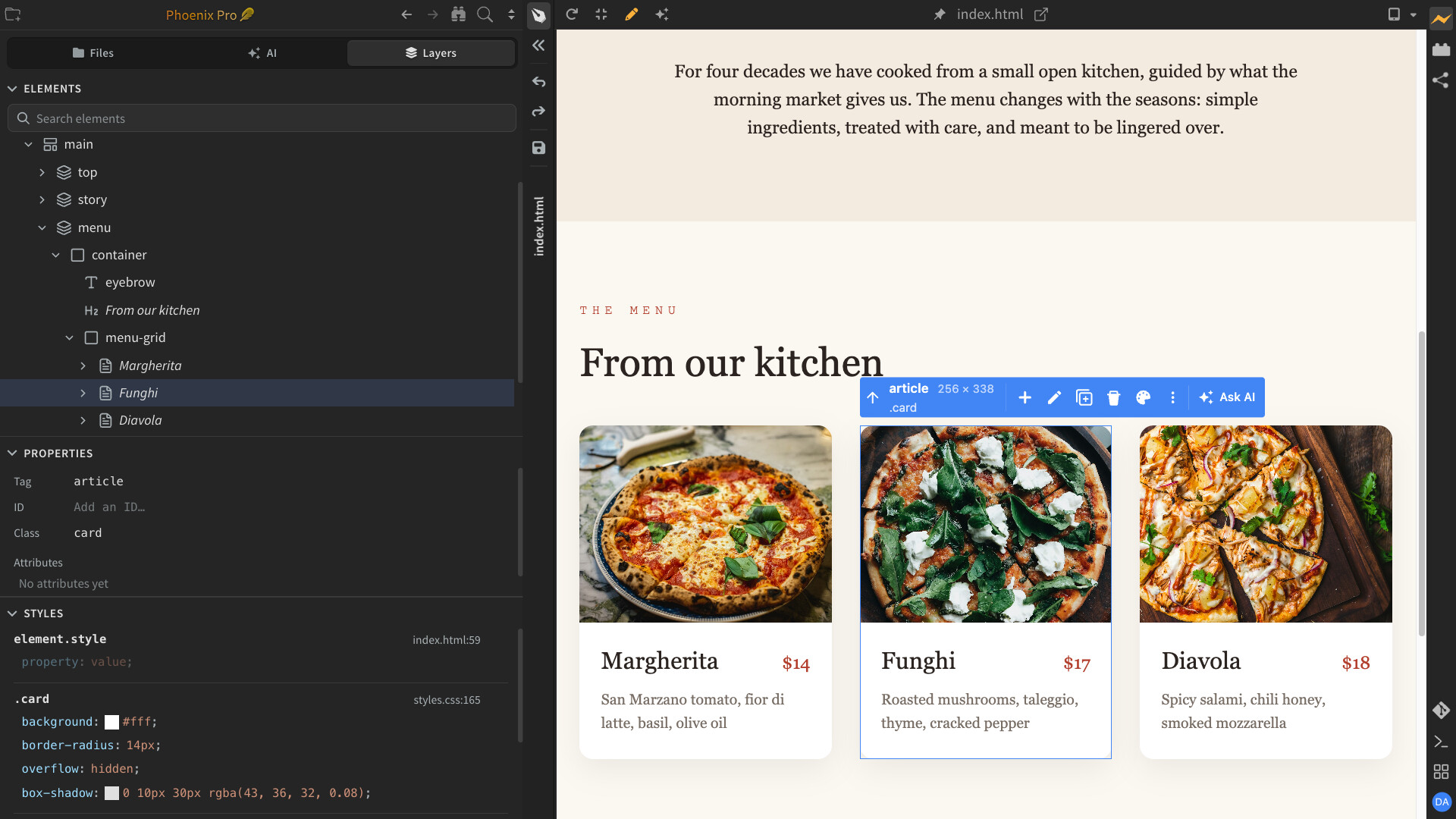
Edit your web pages visually, without touching code! The new Layers sidebar lets you explore your page’s HTML structure, add, move, duplicate, or delete elements, and edit their properties.
Change colors, fonts, sizes, and spacing with simple visual controls. Every change is instantly reflected in your code and Live Preview.
The Layers panel is a Phoenix Pro feature.
Ask AI in Live Preview
Added in October 2026
Just point and ask AI, instead of explaining what you want to change! Select any part of your page in Live Preview and ask AI to make changes. No need to describe where or what you’re referring to.
Ask AI to suggest alternative designs, explore color schemes, or try different fonts.
Ask AI also works with custom server previews, including PHP and other server-rendered pages, as well as selected code or Markdown text.
Available only in desktop apps.

Intelligent UI in AI Chat
Added in October 2026
See what AI means, instead of just reading about it! Phoenix AI can now show interactive designs, buttons, cards, layouts, and more directly in chat.
Explore different styles, click through options, and adjust controls right in the conversation. Instead of just describing an idea, AI can show you how it looks and works—all without opening Live Preview or writing code.
This feature is available only in desktop apps.

Bring Your Claude Code & Codex CLI to Phoenix Code
Added in October 2026
Supercharge your existing CLI agents with rich, interactive visual workflows! Use your existing Claude Code or Codex subscriptions in Phoenix Code to explore designs in Live Preview, try interactive options, and make changes visually instead of relying on text descriptions.
Run multiple CLI sessions, switch between them easily, and send Ask AI requests directly to your agents. Track your AI consumption with the built-in AI Usage Meter (see below).
Running CLI agents inside Phoenix Code is a Phoenix Pro feature, available only in desktop apps.

Track Your AI Usage
Added in October 2026
See how much AI you’re using, all in one place! Track token usage and estimated costs across Phoenix AI, Claude Code, and Codex CLI sessions.
Explore daily usage graphs, monthly trends, and breakdowns by AI model. You can also clear your usage history without deleting your chats.
Costs are estimated using API list prices and may differ from your actual provider charges. Available only in desktop apps.

Easier AI Setup & Quick Access
Added in October 2026
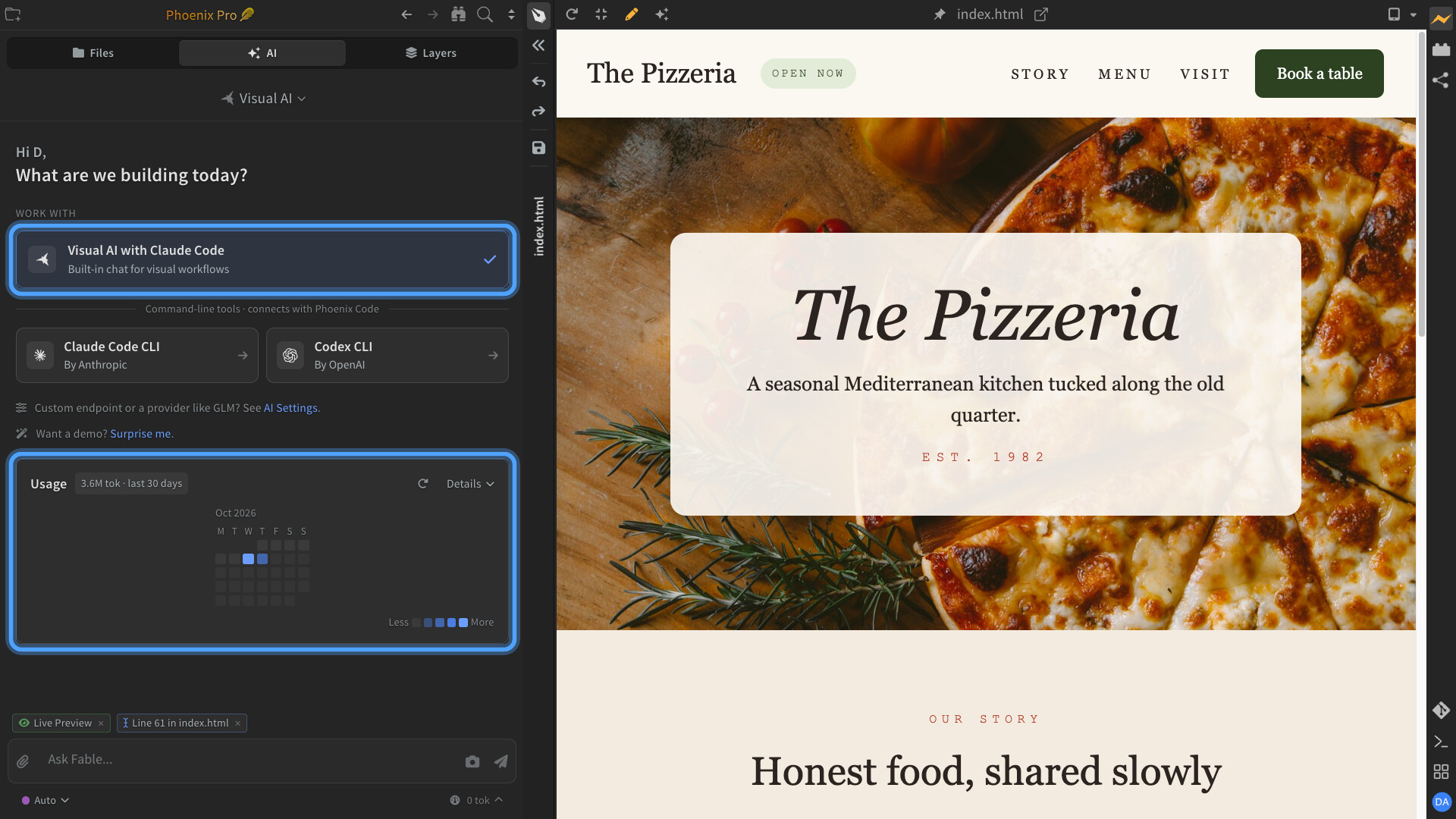
Get started with your favorite AI tools more easily! The new AI start screen brings Phoenix AI, ChatGPT Codex, and Claude Code CLI together in one place.
Quickly set up your AI tools, switch running sessions, and pick up right where you left off.
AI Demos
Added in October 2026
See what you can create with Phoenix AI before signing in or using any AI credits. Watch a page take shape, explore the result, and reveal the prompt behind it. Click Surprise Me to try it.
This feature is available only in desktop apps.
Adjust AI Thinking Effort
Added in October 2026
Choose how much effort AI puts into solving your problems! Use lower thinking effort for quick, simple tasks or higher effort for complex problems that need deeper reasoning.
Select your preferred Thinking Effort for supported AI models, or leave it at Default to use the model’s standard setting.
This feature is available only in desktop apps.

Discover Stock Photos with AI
Added in October 2026
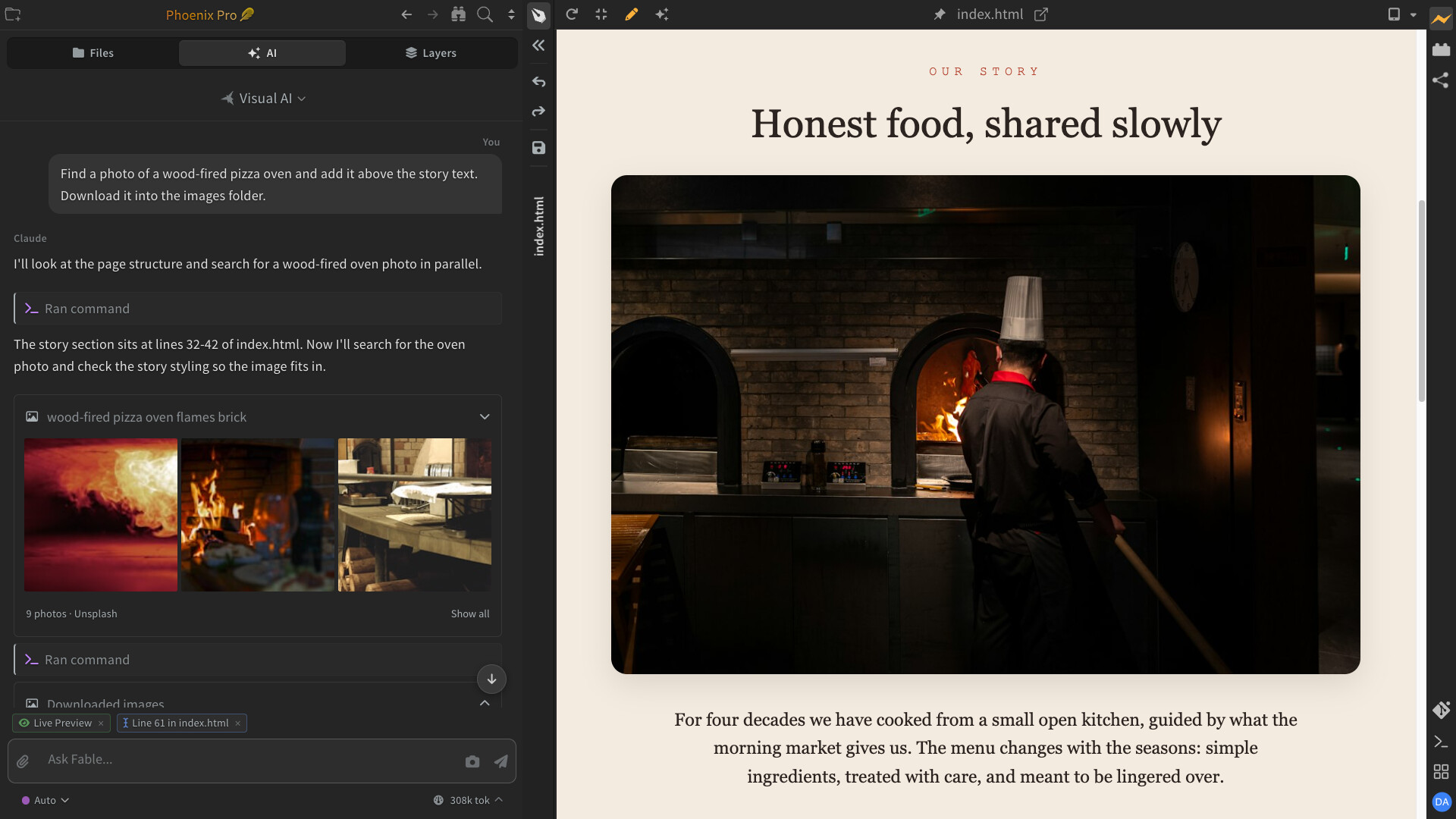
Find the perfect photos for your website with the help of AI! Explore real stock photos, discover new ideas, and let AI help you narrow down your choices to find images that fit your design.
Ask AI to add your favorite photos directly to your page or download them into your project.
This feature is available only in desktop apps.
Larger Image Previews in Markdown
Added in October 2026
Take a closer look at images without leaving your Markdown document! Open images in a larger view to see details more clearly, whether you’re reading or editing.
Simply click an image in reader mode, or double-click it while editing. Press Escape to return to your document.
Style Your Page Visually with the Styles Bar
Added in August 2026
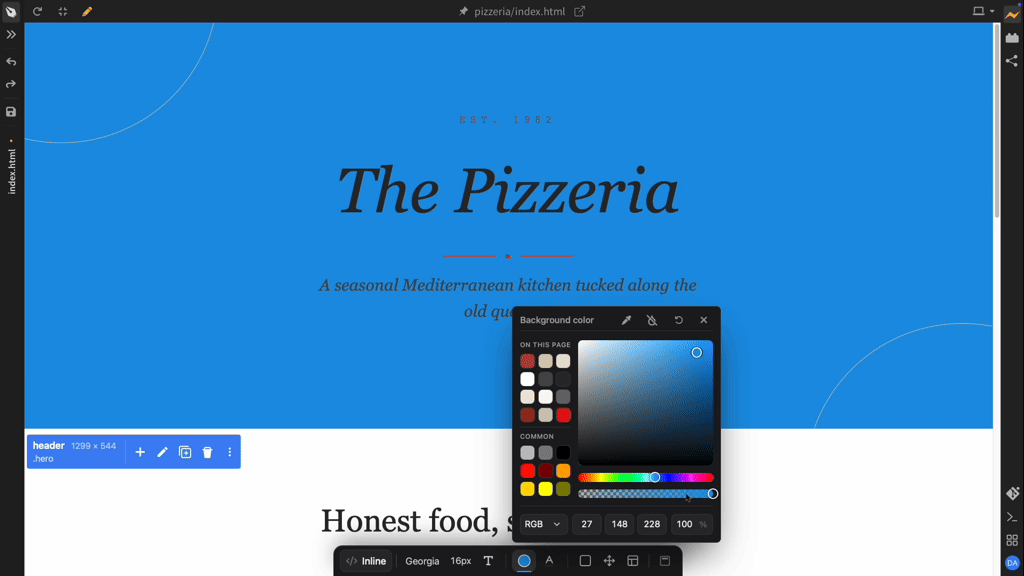
The new Styles Bar in Live Preview lets you style any element on your page visually - change fonts, colors, backgrounds, borders, spacing, alignment, and layout directly in your page instantly.
Browse and search Google Fonts or system fonts. Starting from scratch? A blank page now shows a starter bar so you can add your first element right from the preview.
Code Intelligence for JavaScript, TypeScript, JSON, Python, and PHP
Added in August 2026
Phoenix Code now ships IDE-grade code intelligence for:
- JavaScript & TypeScript - completions, go to definition, find usages, and error checking, with automatically managed project configuration.
- JSON and Npm smarts - Package JSON and other known JSON formats code intelligence. npm package name and version suggestions as you type, dependency info on hover, and warnings for packages with known vulnerabilities.
- Python - code intelligence with built-in code formatting.
- PHP - full code intelligence, installed on demand when you open a PHP file.
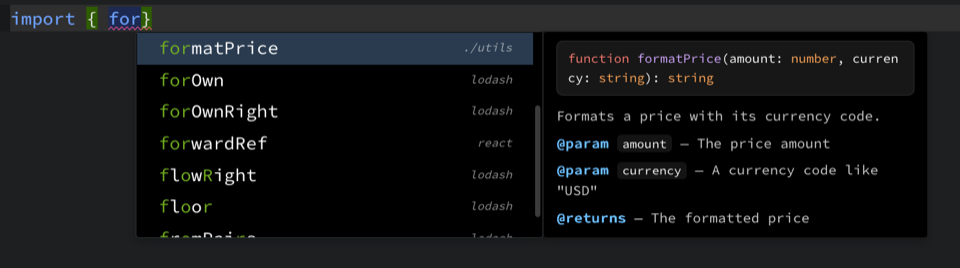
Language servers are downloaded and set up automatically in the background - no manual installation needed. Documentation is now shown with code hints and hovering code shows quick actions to jump to a definition or find usages.
This feature is available only in desktop apps.
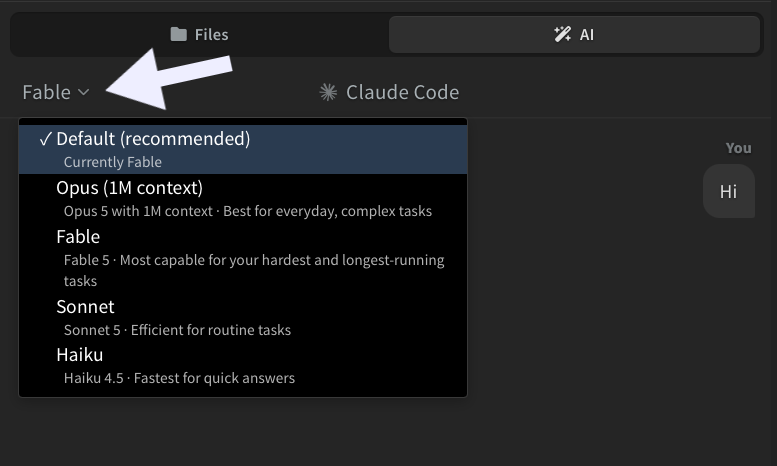
Choose Your AI Model/Disable AI
Added in August 2026
Pick which Claude model powers your AI chat, right from the chat panel. AI can now be enabled or disabled anytime from the AI settings dialog.
This feature is available only in desktop apps.
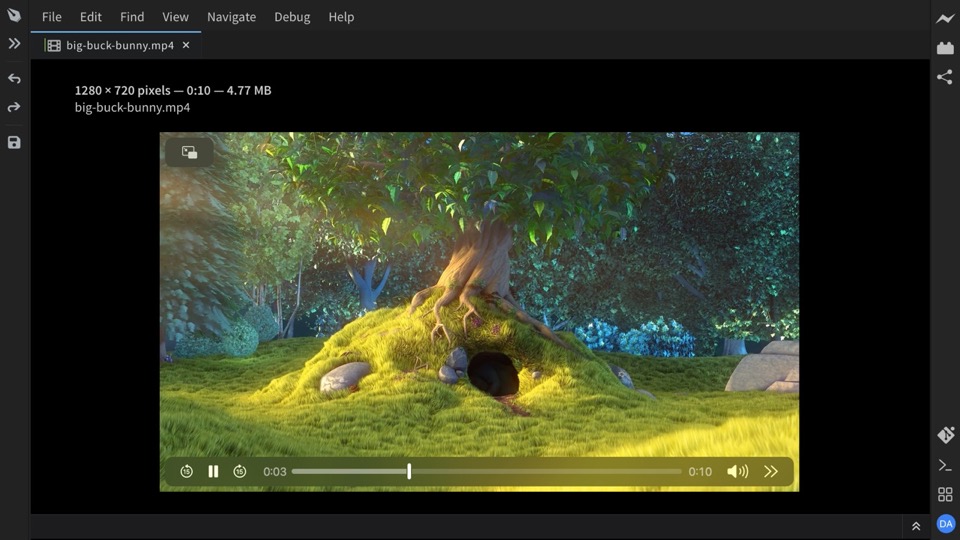
Video and Audio Preview
Added in August 2026
Click a video or audio file in your project to play it right inside the editor, just like image preview.
Try ideas, build pages, and fix issues with AI
Added in April 2026
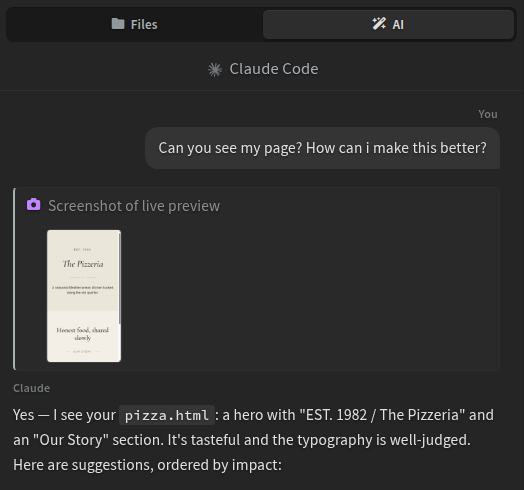
Phoenix Code now includes an AI assistant powered by Claude Code - one that sees what you see, not just your code. Try ideas, make changes, and refine your work just by chatting.
Attach files or capture a screenshot to show the AI exactly what you mean. It stays out of your way until you need it, so you can stay focused on the creative work.
This feature is available only in desktop apps.
Design Mode
Added in April 2026
Focus fully on your content while your code stays out of the way. Work side by side with AI and Live Preview. Edit content visually - whether you’re building web pages or Markdown documents.
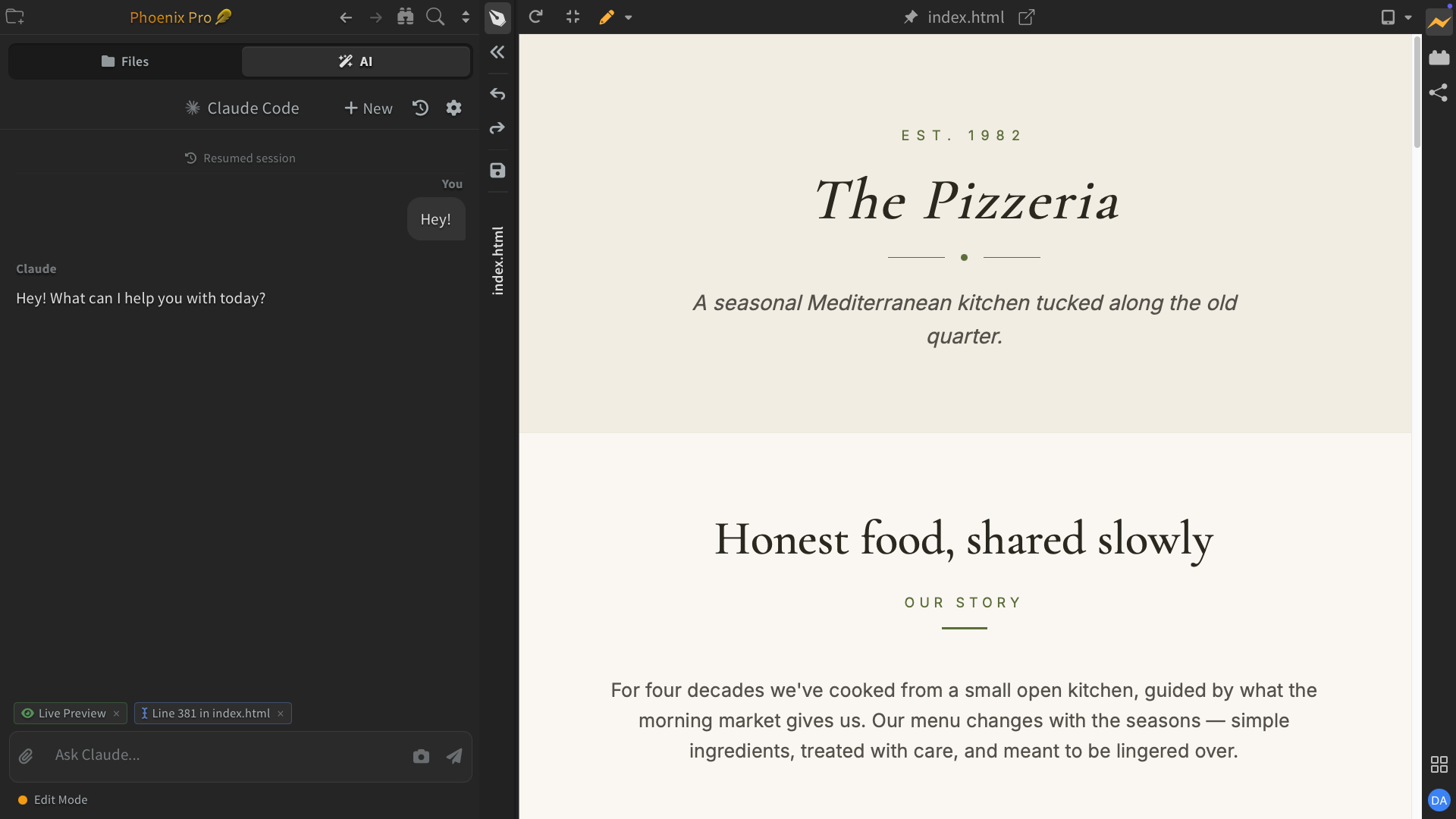
Rich Markdown Editor
Added in April 2026
Edit Markdown like a document in Live Preview. Now it’s easy to add images - just paste or pick one from your device, like in Google Docs or Word.
Format text, edit tables, and add diagrams with real-time sync between code and live preview. An easier way to create Markdown files that you can share anywhere.
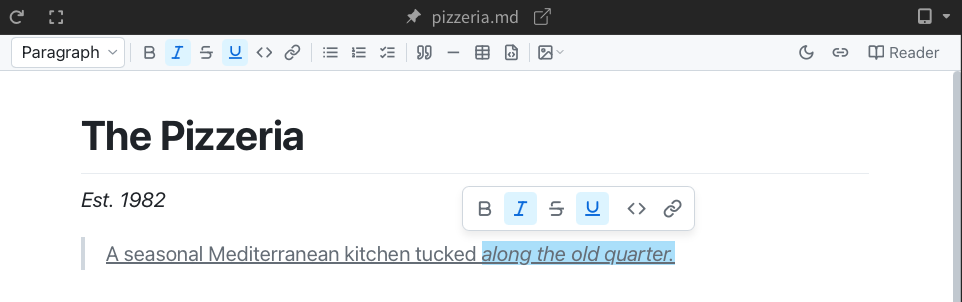
Live Preview Edit Upgrades
Added in April 2026
Format text with bold, italic, and more. Add elements and update tags, classes, and attributes - all directly in Live Preview.
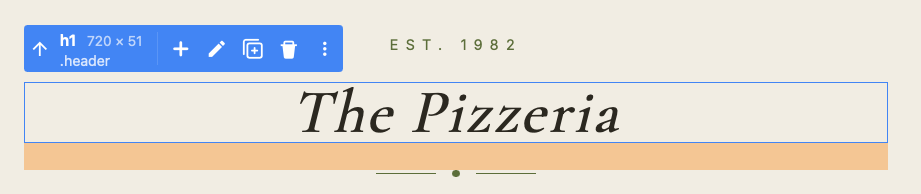
View your page at any device size
Added in April 2026
Switch between popular phones, tablets, and desktops with a single click to see how your page looks at that size.
Phoenix Code also picks up your CSS @media breakpoints so you can jump straight to where your layout switches.

Built-in Terminal
Added in April 2026
Run commands right next to your code in the new built-in terminal.
Phoenix Code allows you to open multiple terminal tabs with your preferred shell.
This feature is available only in desktop apps.
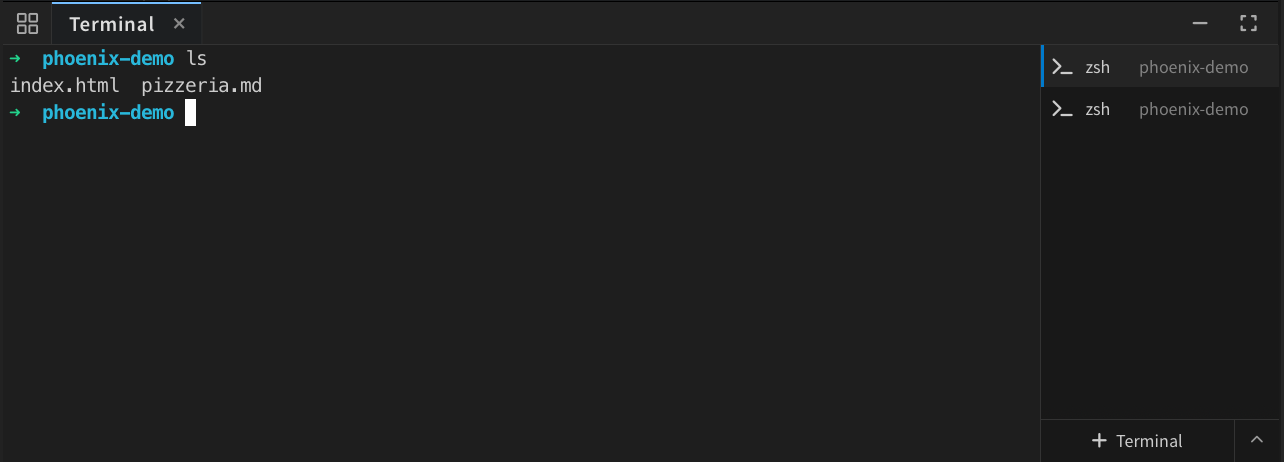
All Your Tools, One Place
Added in April 2026
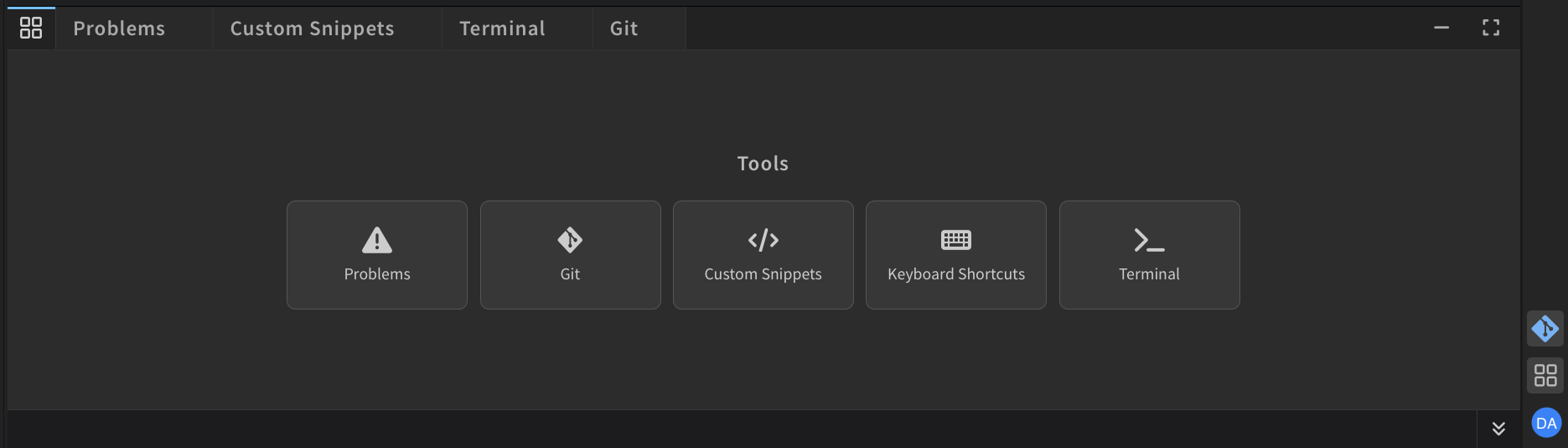
A new tools drawer brings Git, Terminal, Problems, and more into one place. Switch between them instantly without panels getting in your way.
New Linux Platform
Added in April 2026
Phoenix Code for Linux has been rebuilt from the ground up.
The previous Linux app was harder to install and didn’t match the experience we wanted to deliver. We heard that feedback loud and clear. This release is powered by a brand-new Linux platform, bringing faster performance, easier installation, and a desktop experience that now stands alongside Windows and macOS.
Phoenix Neo Themes
Added in April 2026
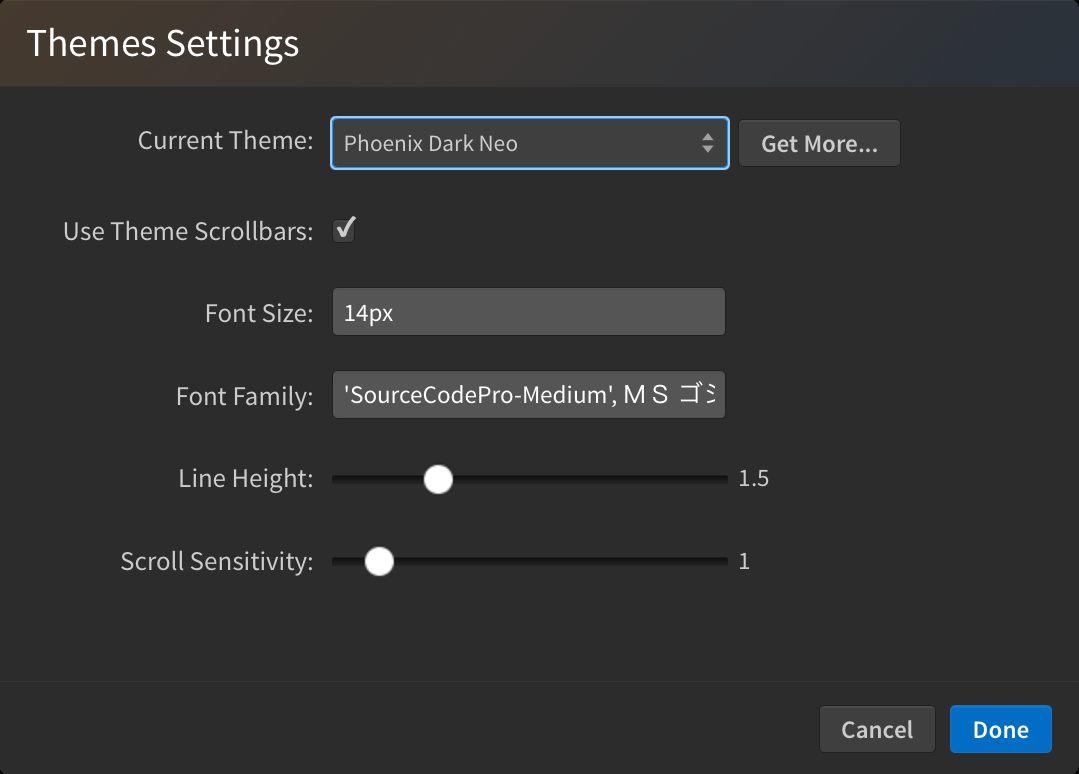
Meet Phoenix Dark Neo and Phoenix Light Neo - the redesigned default themes with a cleaner, modernized look.
Switch between them anytime from
View > Themes....
Live Preview Edit
Added in 2025
Introducing the all-new Live Preview Edit - powerful, reliable editing directly inside your page preview.
Edit content on the page, drag and rearrange elements visually, and inspect layouts with rulers. Try new layouts and make changes faster without breaking your flow. - Included with Phoenix Pro.

Tab Bar
Added in 2025
Tabs let you navigate between open files and easily reorder them with drag and drop.

Emmet
Added in 2025
Phoenix Code now includes built-in Emmet support for HTML and CSS workflows. Expand abbreviations instantly from code hints.

Custom Snippets Panel
Added in 2025
Create, edit, search, and manage your own snippets using the Snippets panel. Snippets help you insert frequently used code fragments directly from code hints in the editor.

Git for Desktop
Added on January, 2025
Git is finally here. Integrated Git source control with a clean, intuitive interface. Stage changes, commit, and sync with a single click while keeping your focus on the code. Now available in the Windows, Mac, and Linux desktop apps of Phoenix code.
Color Previews
Added on December, 2024
Preview the color(s) used in the file in the gutter area. Hovering over a color box highlights the corresponding color text in the editor to quickly jump to editing that color.
Open in Terminal and File Explorer
Added on December, 2024
New “Open In” feature lets you instantly open directories and files in the system Terminal or File Explorer across Windows, macOS, and Linux desktop apps!
Customizable Editor Line Height
Added on November, 2024
Theme Settings (View > Themes...) now has a new Line Height slider. Adjust the editor line height between 1x and 3x to find your perfect balance of readability and screen real estate.
Also added a Get More... button to the Themes dialog, linking directly to the themes section in Extension Manager.
Indent Guide Lines
Added on October, 2024
Phoenix Code now supports indent guidelines to help you better visualize code structure. This feature can be toggled via View > Indent Guide Lines.
Auto Tab and Spacing Detection
Added on August, 2024
Phoenix Code can now automatically detect and apply the indentation style (tabs or spaces) based on the existing code in the file.
Auto rename start and end of HTML/XML/SVG tags
Added on July, 2024
Automatically rename paired HTML/XML/SVG tags as you type at the start or end of the tag.
Now Available on ChromeOS
Added on July, 2024
All new native ChromeOS app is now available on the Google Play Store. The ChromeOS app is a highly requested feature and is specially made for education and student use.
Drag and Drop Files and Folders in Desktop Apps - Experimental
Added on June, 2024
Drag files from Explorer (Windows) or Finder (Mac) and drop them into Phoenix Code to open individual files. Drop a folder to open it as a project.
Note: This feature is currently disabled on Linux due to UI issues in some Linux distributions. To enable it, select menu
Debug -> Experimental Features -> Drag And Drop Files.
This feature is not available in the browser version @ phcode.dev
HTML Validation
Added on June, 2024
We have added HTML Validator to help you find errors like duplicate IDs, unrecognized tags, and more.
ESLint Support
Added on June, 2024
All new and simplified ESLint experience that displays all ESLint errors in a file. Fix one or all errors with a single click. To enable, open a project that uses ESLint in Phoenix Code.
Live CSS class and Style Code Hints
Added on May, 2024
Interactively edit CSS styles and classes using the up/down arrow keys in code hints. This is available in CSS files and inline CSS styles/class names in HTML files. This provides an instant boost to your HTML and CSS workflows.
Custom Live Preview Servers
Added on April, 2024
Preview PHP, React, and other dynamically rendered files with the new server settings dialog.
Advanced HTML/CSS/LESS/SCSS Code Intelligence
Added on April, 2024
CSS class hints are now shown within the HTML file’s class attribute.
Support for the latest CSS/LESS/SCSS syntax. Code intelligence and error detection for CSS, SCSS, and LESS files.
Editor Rulers
Added on April, 2024
Add multiple, color-customizable rulers in the editor to better visualize line lengths.
Search Filters - Advanced find in files
Added on March, 2024
All new search filters to find exactly what you want. Search in files or Exclude files matching the given pattern instantly.
Native Desktop Apps - Windows, Linux, and Mac (Intel/M1)
Added on Feb,2024
Brand new Native Desktop Apps for Mac (M1 and Intel), Linux, and Windows, a milestone release that addresses one of our most requested features. Built from the ground up with the latest Tauri/Rust technology, this update modernizes the core platform with enhanced performance, security, and a seamless cross-platform experience.
Download your copy from phcode.dev
Make It Yours: Custom Keyboard Shortcuts
Added on Feb,2024
Now you can make your own shortcuts for any menu, so you don’t have to memorize a bunch of different ones for every app. Simply hover over a menu item and click the keyboard icon to set your preferred shortcuts.
It’s like customizing your game controls to play your way!
Zoom in and out
Added on Nov,2023
Adjust the UI and font size to your liking with UI and font zoom controls.
Restore Unsaved Files and Crash Recovery
Added on May,2023
We’re added enhanced auto-recovery features in phcode. This functionality ensures your work is safe even in the event of a crash or if the application is closed without saving edited files.
Create and Publish Extensions
Added on March,2023
Creating extensions and themes is now easier than ever with a single click in GitHub. We have added workflows to:
- Create a Theme or Extension with a single click.
- Load/unload development extensions with new
Debug> Reload With Extensionsmenu.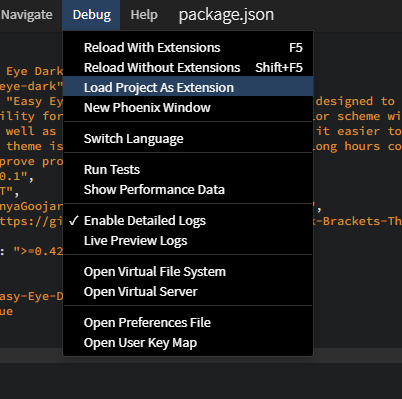
- Publish an extension directly from your GitHub repo by creating a GitHub release!
Extensions and Themes Store
Added on January,2023
- Browse and install extensions and themes from the store. Click on the
extensions iconor selectFile > Extension Managerfrom menu item to view store. - To apply themes after installing, click on menu
View > Themesand select Theme to apply. - Most extensions from Brackets is available in Phoenix Web except few that requires native privileges.
Number Widget for Live Preview
Added on December,2022
- Hover over any number value in css to get the all new number widget for fine-tuning numeric values in live preview.

Beautify code
Added on August,2022
Beautify HTML, CSS, JS, Json, Markdown, Typescript, and other language code with Ctrl-B (Cmd-B in mac.).
Watch the video on YouTube

Javascript Lint with JSHint
Added on August,2022
Detect errors and potential problems in your JavaScript code while editing your code in Phoenix.

Javascript Code Intelligence
Added on July-August,2022
- Javascript code hints, auto complete.
- Javascript variable refactoring(press
f2to rename variable). - Highlight Variable references under cursor.
Ctrl+Click(Windows/Linux) orCmd+Click(Mac) to jump to variable/function definition.

Instant Search and Large Projects Support in browsers
Added on June,2022
Open large projects right from your browser. Instant search across all files in your project (Click on the search icon at top left).
Watch the video on YouTube

New Project Welcome Screen
Added on May,2022
Open local folders and projects from GitHub; Quick start templates with HTML, blog, and bootstrap projects. More templates coming soon.
Watch the video on YouTube

Share and Publish your Website
Added on Apr,2022
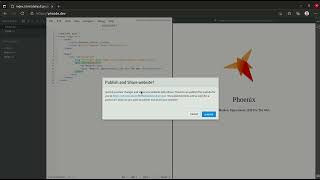
Quickly preview changes and share your website with others on the web with a single click.
Watch the video on YouTube
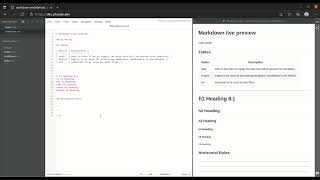
Live Markdown Preview
Added on Apr,2022
Live preview but for markdown files!
Watch the video on YouTube

Comments